< Back to index

Guide: Edit summary
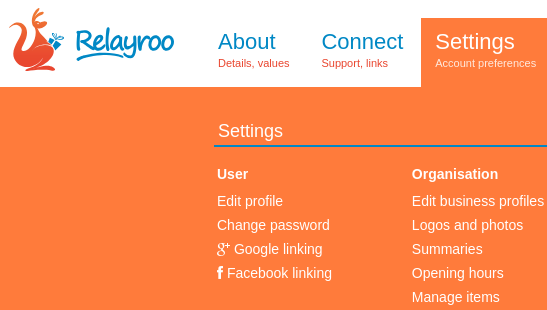
In the settings, choose “summaries”.
You’ll then see a screen similar to the following.
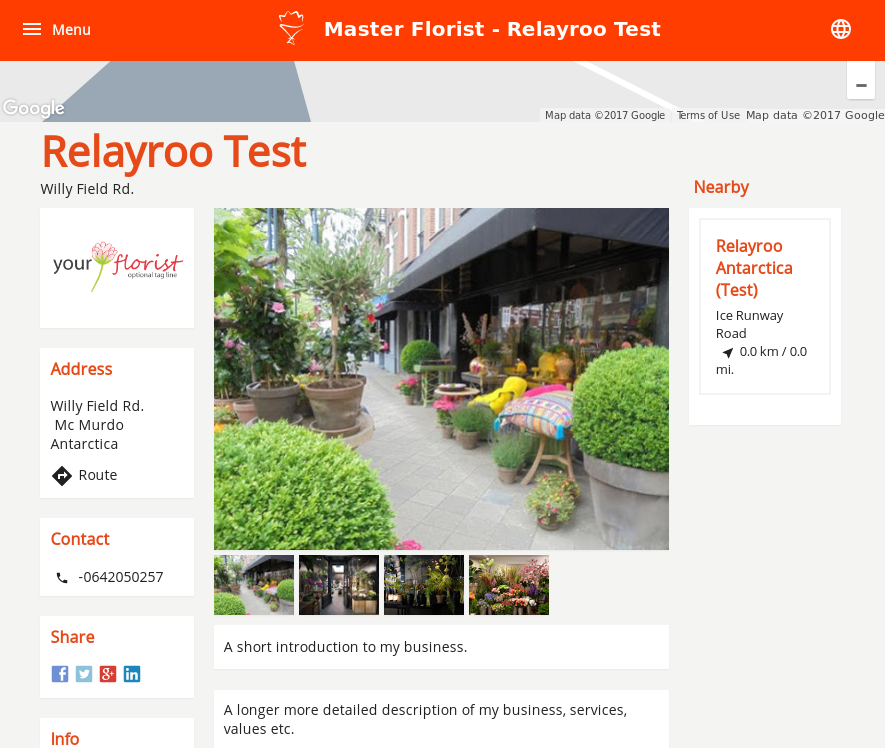
Fill in the summary and details and save. After a moment the changes will be visible on your MasterFlorist profile similar to this:
Site supporters
We're able to operate this site with the generous support of the following companies.
Our site network
Master.Florist
|
De Vakbloemist
Les Artisans Fleuristes | De Vakflorist
Les Artisans Fleuristes (Belgique) | Мастерфлорист (Russia)
Masterflorists South Africa | Masterflorists NZ
Masterflorists Malaysia | Masterflorists ประเทศไทย (Thailand)
Masterflorists Australia | Artisanflorists UK
Die Meisterfloristen Deutschland (Germany) | Maestri Fioristi Italia (Italy)
Mester Virágkötők (Hungary) | Dansk MasterFlorist (Denmark)
Svenska Masterflorist (Sweden) | Maestru Florist (Romania)
Artesanos Floristas (Spain) | Masterflorist México
Masterflorist Việt Nam (Vietnam) | Masterflorists Polski (Poland)
Masterflorists Ελλάδα (Greece)
Les Artisans Fleuristes | De Vakflorist
Les Artisans Fleuristes (Belgique) | Мастерфлорист (Russia)
Masterflorists South Africa | Masterflorists NZ
Masterflorists Malaysia | Masterflorists ประเทศไทย (Thailand)
Masterflorists Australia | Artisanflorists UK
Die Meisterfloristen Deutschland (Germany) | Maestri Fioristi Italia (Italy)
Mester Virágkötők (Hungary) | Dansk MasterFlorist (Denmark)
Svenska Masterflorist (Sweden) | Maestru Florist (Romania)
Artesanos Floristas (Spain) | Masterflorist México
Masterflorist Việt Nam (Vietnam) | Masterflorists Polski (Poland)
Masterflorists Ελλάδα (Greece)