Guide: Add/edit items.
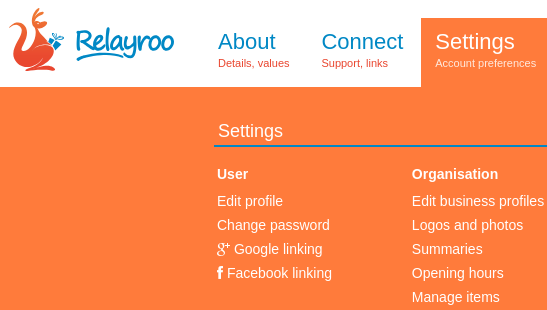
You can add your product and service items so florists and consumers alike can browse your offering. In the settings, choose “Manage items”.
A screen similar to the one below will show when you have no items.
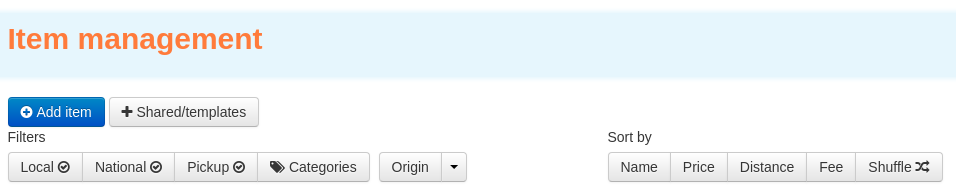
Click the add item to add an item, then fill in the details. Note that the price is your wholesale price that you offer to other businesses.

After you've added a few articles they'll show in a list. Clicking/tapping each brings up the details editor.

We'll then display your articles on your profile page. Since it's accessible to the general public a margin is applied. The default fixed and percentage margins can be configured in your business settings.

Site supporters
We're able to operate this site with the generous support of the following companies.
Our site network
Les Artisans Fleuristes | De Vakflorist
Les Artisans Fleuristes (Belgique) | Мастерфлорист (Russia)
Masterflorists South Africa | Masterflorists NZ
Masterflorists Malaysia | Masterflorists ประเทศไทย (Thailand)
Masterflorists Australia | Artisanflorists UK
Die Meisterfloristen Deutschland (Germany) | Maestri Fioristi Italia (Italy)
Mester Virágkötők (Hungary) | Dansk MasterFlorist (Denmark)
Svenska Masterflorist (Sweden) | Maestru Florist (Romania)
Artesanos Floristas (Spain) | Masterflorist México
Masterflorist Việt Nam (Vietnam) | Masterflorists Polski (Poland)
Masterflorists Ελλάδα (Greece)