Guide: Upload logo & photos
You can upload your company logo and some photos from your business to allow florists and consumers alike to recognize your business. In the settings, choose “logos and photos”.
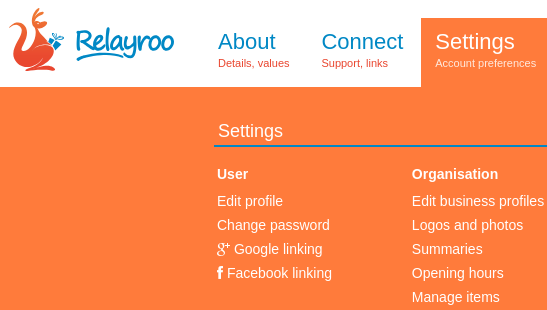
You’ll then see a screen similar to the following although it may not yet have your images shown.

Simply drag your logo and business photos to the appropriate places and they will upload and when done you can save your changes. If you can’t drag and drop your image files then there’s a folder icon that you can click to browse for images to upload.
Most common web image types are accepted however for best results we suggest to use a .png file for your logo and .jpg files for your business photos. It’s best you upload large hi-res images and we we will scale them automatically when showing on your profile.
After uploading and saving, your profile will reflect the changes after a moment similarly to below.

Site supporters
We're able to operate this site with the generous support of the following companies.
Our site network
Les Artisans Fleuristes | De Vakflorist
Les Artisans Fleuristes (Belgique) | Мастерфлорист (Russia)
Masterflorists South Africa | Masterflorists NZ
Masterflorists Malaysia | Masterflorists ประเทศไทย (Thailand)
Masterflorists Australia | Artisanflorists UK
Die Meisterfloristen Deutschland (Germany) | Maestri Fioristi Italia (Italy)
Mester Virágkötők (Hungary) | Dansk MasterFlorist (Denmark)
Svenska Masterflorist (Sweden) | Maestru Florist (Romania)
Artesanos Floristas (Spain) | Masterflorist México
Masterflorist Việt Nam (Vietnam) | Masterflorists Polski (Poland)
Masterflorists Ελλάδα (Greece)