Guide: Create/reset password
If you've forgotten your password or signed up via Mester Virágkötők, you can create/reset your password. Select the menu option “Florist Login”.

This takes you to the Relayroo site where you’ll see the “sign in” option.

Click the “Password lost” to acess the password reset process.

Fill in your email address (checking carefully it's correct) and a recovery email will be sent to you.


Check your email then for a message like this and follow the instructions and link. You should receive a mail immediately but if you don't receive one, check your spam/junk folder with your mail provider. If after 10 minutes you still don't have anything try again or contact us.

Set a new and secure password.
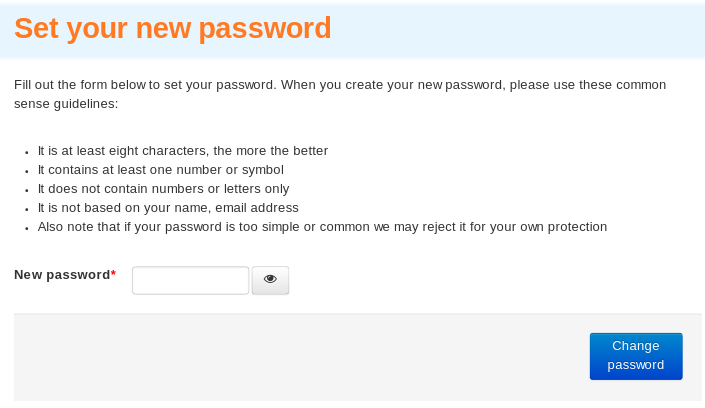
Your new password is now active and you can sign in using it.
Site supporters
We're able to operate this site with the generous support of the following companies.
Our site network
Les Artisans Fleuristes | De Vakflorist
Les Artisans Fleuristes (Belgique) | Мастерфлорист (Russia)
Masterflorists South Africa | Masterflorists NZ
Masterflorists Malaysia | Masterflorists ประเทศไทย (Thailand)
Masterflorists Australia | Artisanflorists UK
Die Meisterfloristen Deutschland (Germany) | Maestri Fioristi Italia (Italy)
Mester Virágkötők (Hungary) | Dansk MasterFlorist (Denmark)
Svenska Masterflorist (Sweden) | Maestru Florist (Romania)
Artesanos Floristas (Spain) | Masterflorist México
Masterflorist Việt Nam (Vietnam) | Masterflorists Polski (Poland)
Masterflorists Ελλάδα (Greece)